


YGO Tracker

For people who collect physical cards

Know exactly what is missing from every Yu-Gi-Oh! deck

Track the cards you own, see what is missing and what it costs to finish each deck. All on your phone, even offline.

Free on iPhone and Android

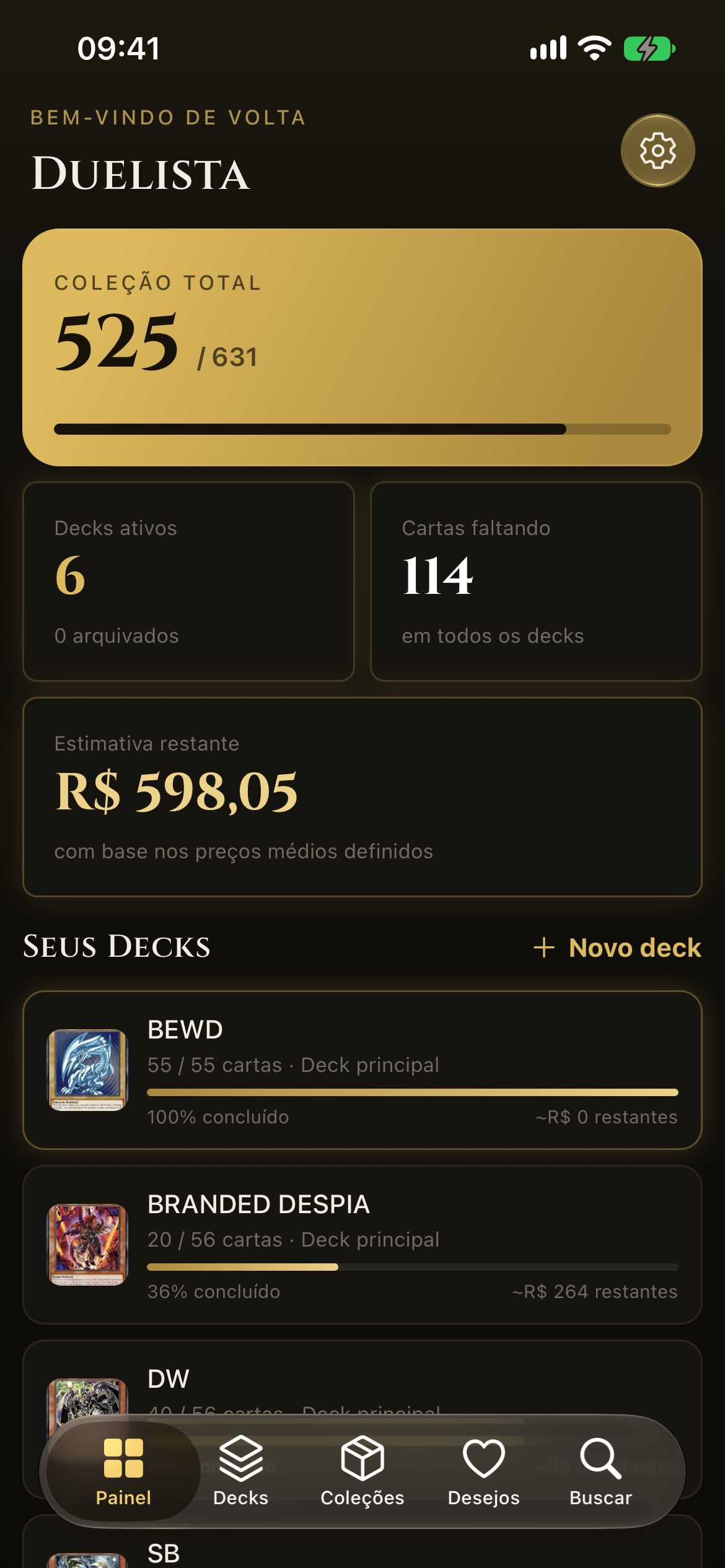
YGO Tracker home screen on iPhone: total collection, active decks, missing cards, estimated cost left and the deck list with each deck's progress.
  • Free to start
  • One-time payment, no subscription
  • Works offline
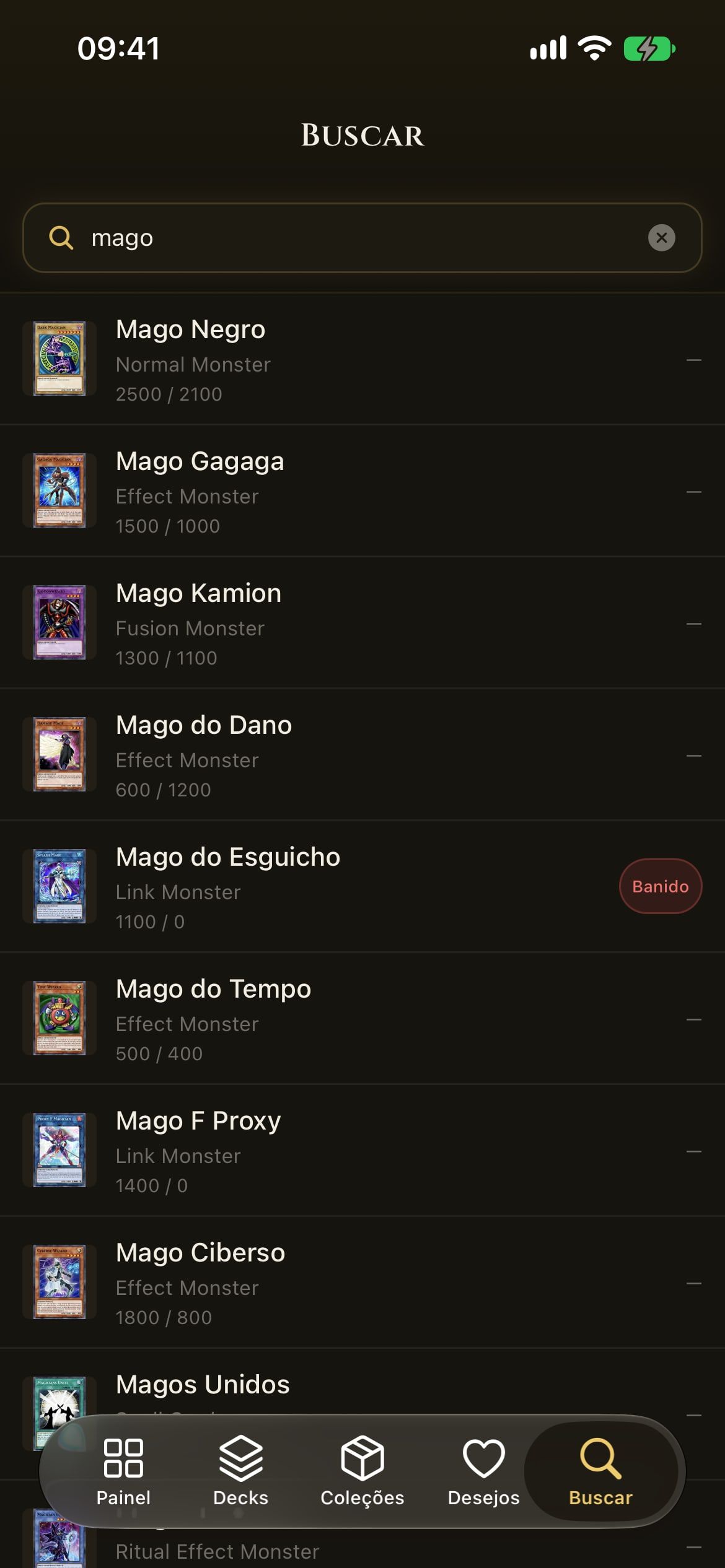
  • Search in English or Portuguese

The problem

Your missing-cards list is scattered everywhere

A screenshot in the camera roll, a spreadsheet you have not opened since March, a note you messaged to yourself and never found again.

YGO Tracker puts it all in one place. Add your physical decks, tick off what you own, and let the app do the math on what is still left to buy.

Features

Everything to organize your Yu-Gi-Oh! collection

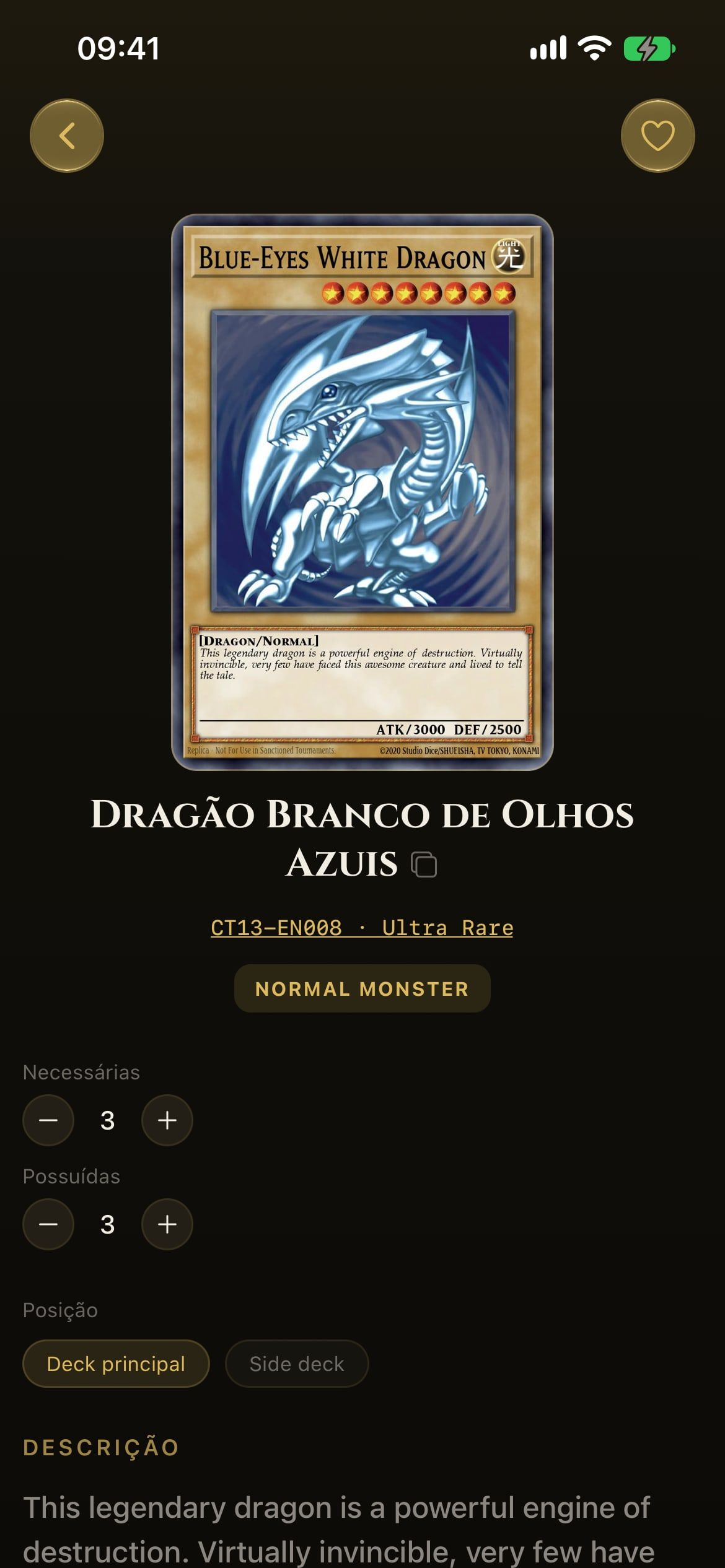
  • Card detail: artwork, printing and rarity, copies needed and owned, and whether it goes in the Main Deck or the Side Deck.

    Decks with progress

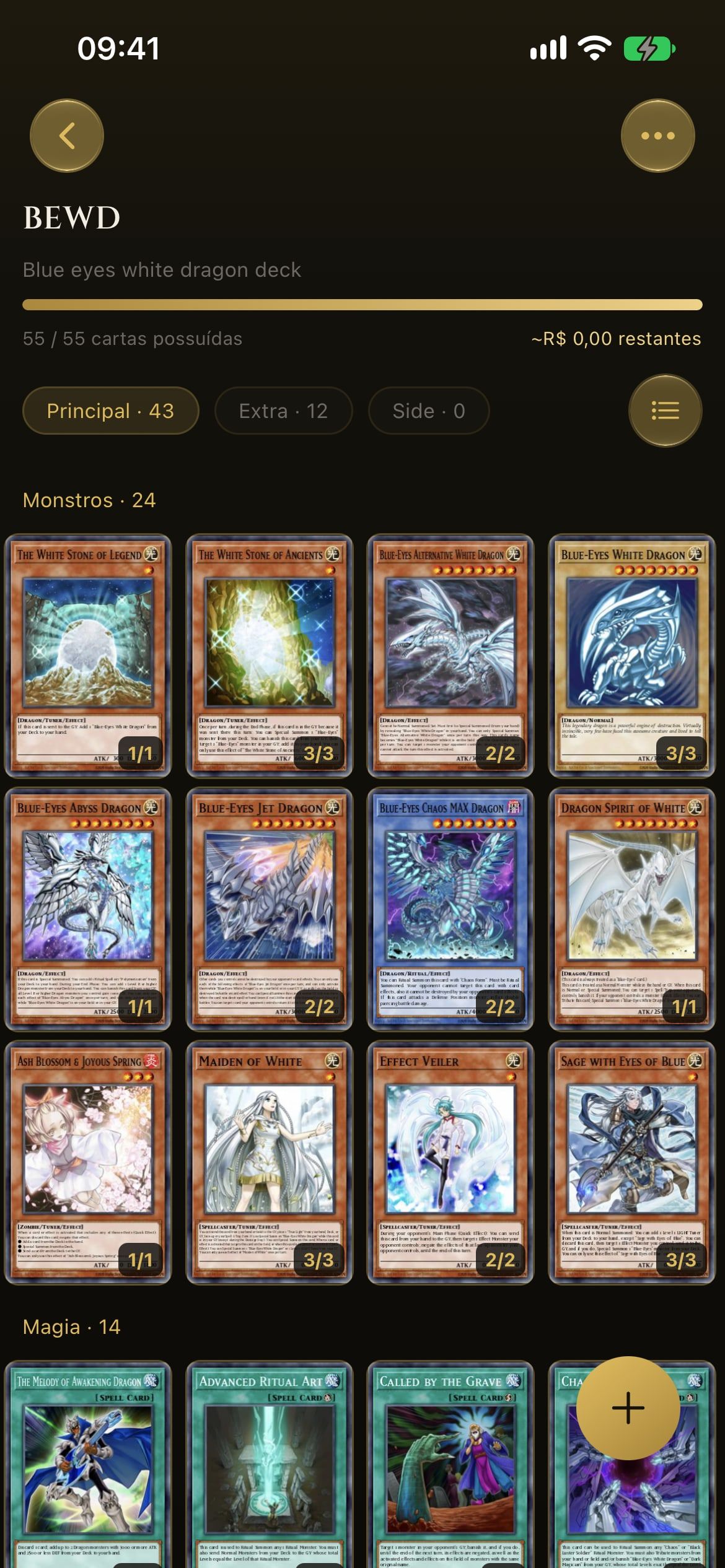
    Say how many copies the deck calls for and how many are already in your binder. The app shows how close the deck is and roughly what the rest will cost. Main, Extra and Side stay separate.

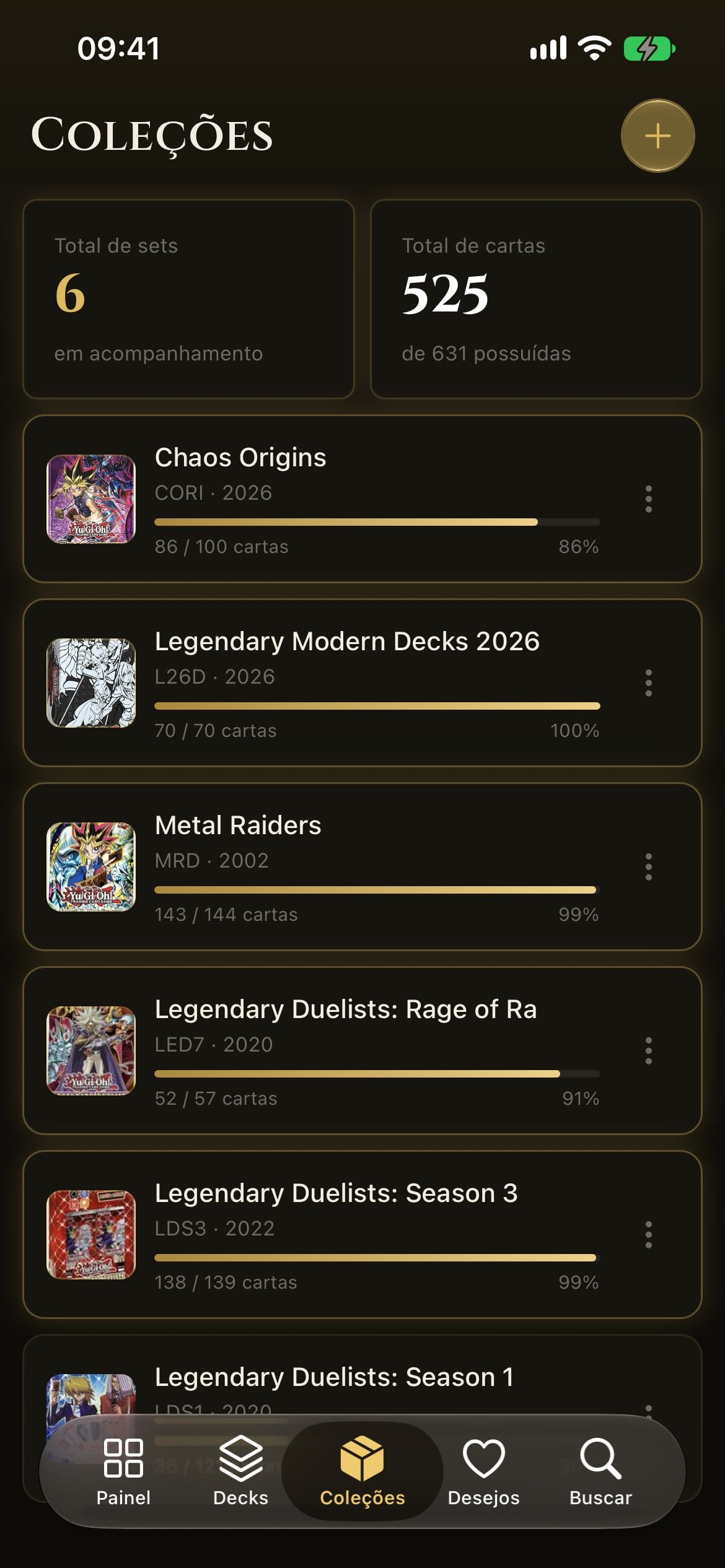
  • Collections screen: total sets and cards owned, and each set with its code, year and percentage complete.

    Set collections

    Import a whole set and tick cards off as they come in. One look and you know how far you are from completing it. Want to show your progress? Share the collection, or a binder page, as an image.

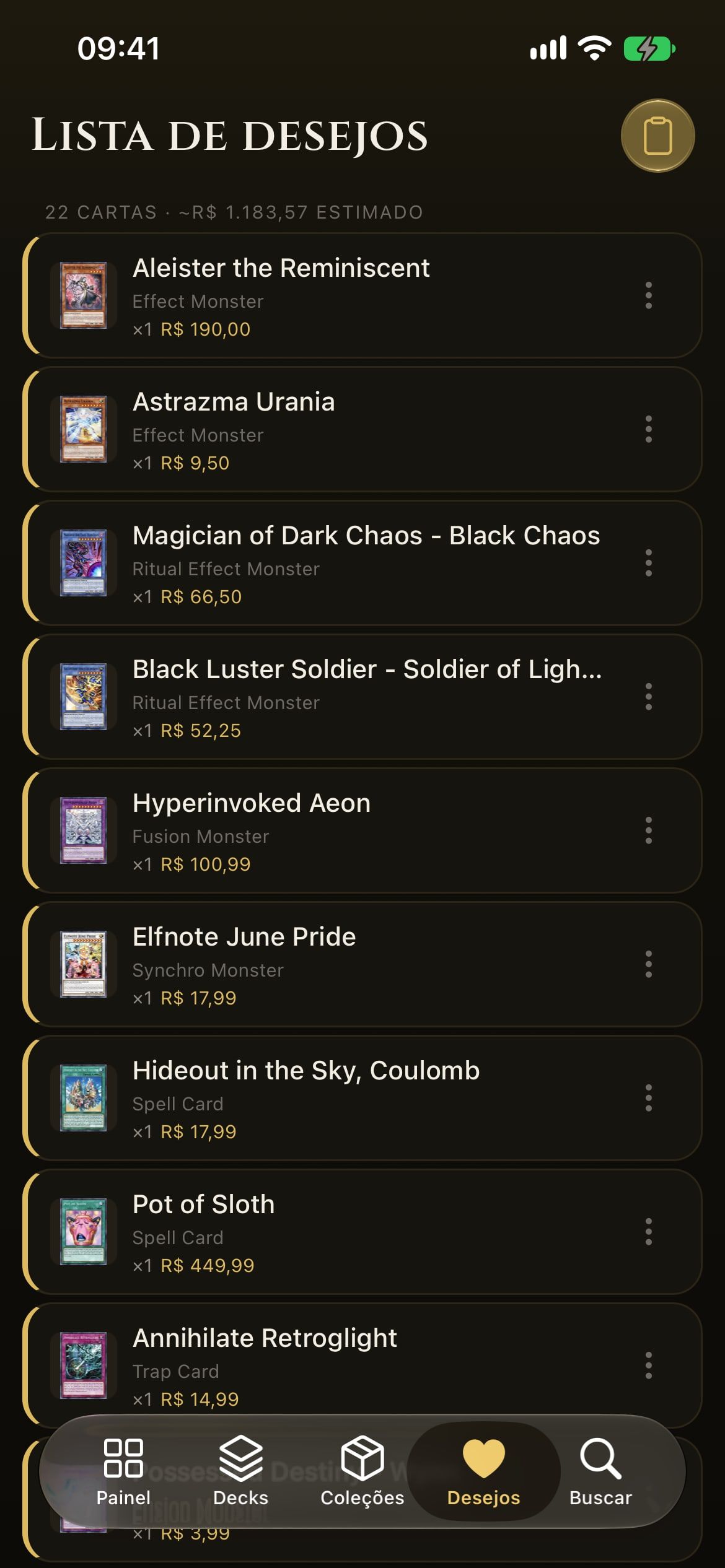
  • Wishlist: cards you want to buy, with type, quantity, reference price and the estimated total.

    Wishlist with reference prices

    The cards you are hunting live in their own list, with quantity and price. Changed your mind? Move a card straight into a deck.

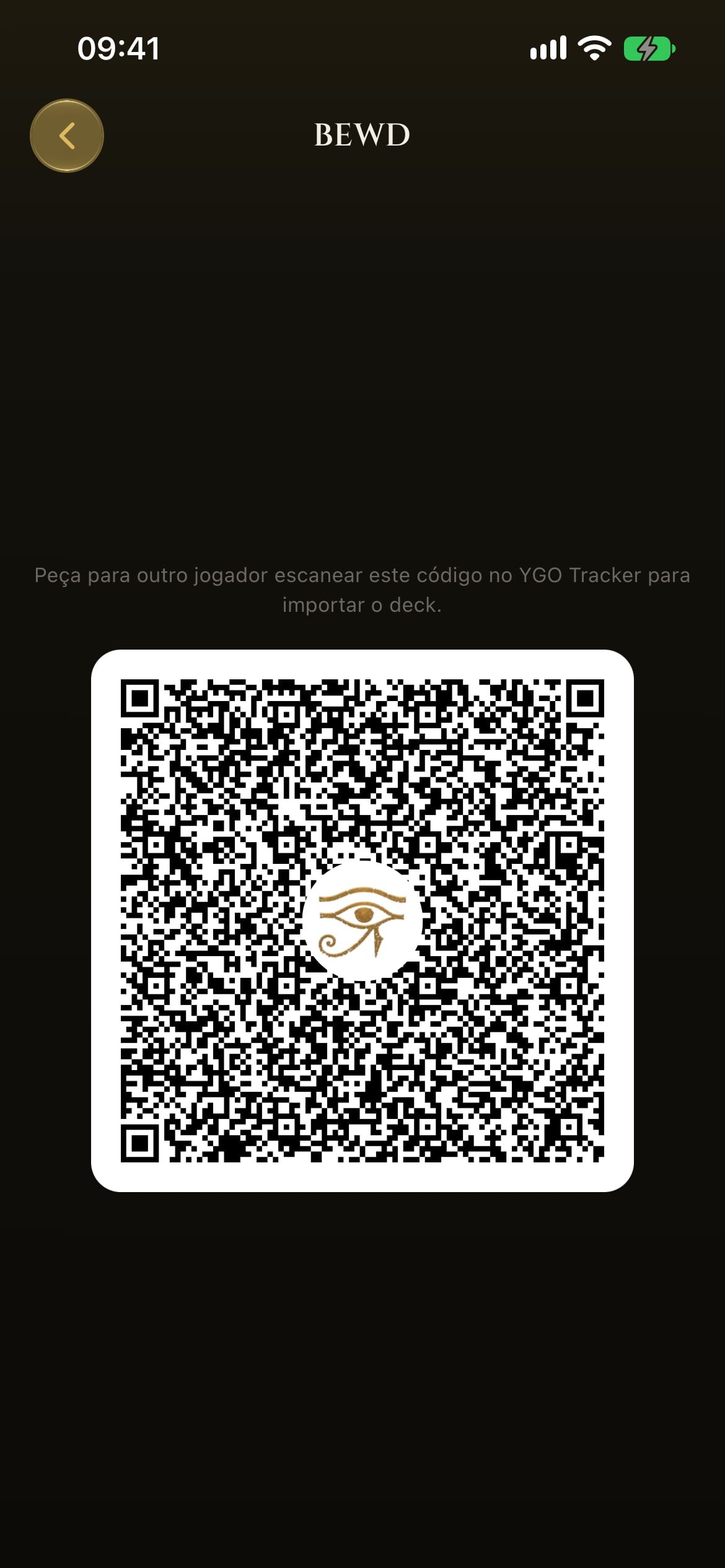
  • A deck QR code, ready for another player to scan in YGO Tracker.
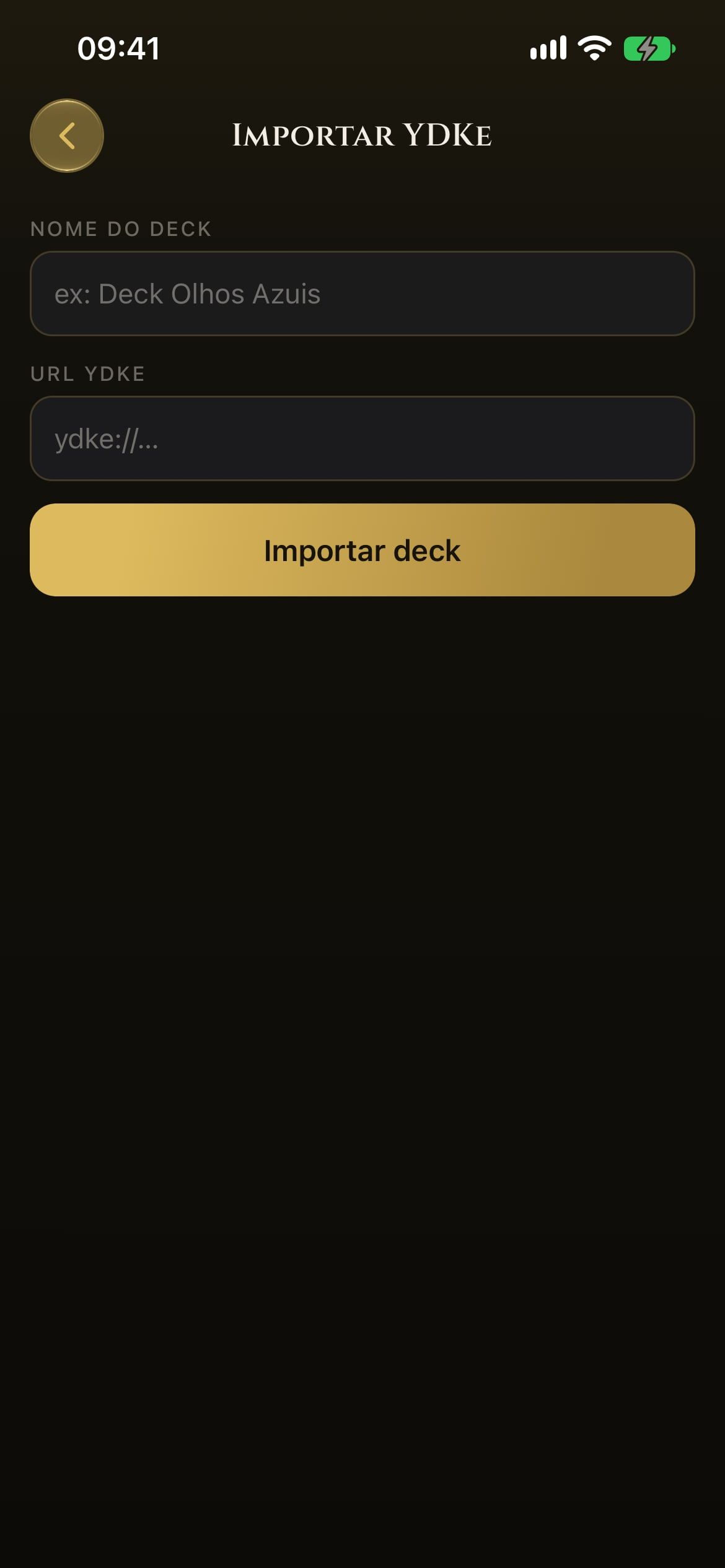
    Import a deck from a YDKe URL: deck name and a field to paste the URL.

    When you go shopping

    Export your shopping list and walk up to the counter knowing exactly what to ask for. Want to hand a deck to a friend? Send a link or show a QR code. To get theirs, open the link, scan the code or paste a YDKe URL, then check the cards before you save it to your account.

  • Works with no signal

    Creating decks, ticking cards and adjusting quantities all work offline. In line at the tournament or in the corner of the shop with no bars. It syncs on its own once you are back.

  • Your data, your account

    New phone? Sign in and it is all there. If you ever want out, you can delete your account and everything in it from inside the app.

  • A table to test your hand

    Draw an opening hand from your deck and see what you could do with it. You move the cards across the field yourself: summon, send to the Graveyard, search the deck, bring out an Extra Deck monster. The app does not play for you or read card effects; it just holds the cards in place. Misplayed? Undo. Want another hand? Restart.

  • Odds of a good opening

    Pick the cards that start your combo and see the exact chance of drawing them in your opening hand, going first or second. Combine up to three groups, such as a starter and an extender.

  • Life Point Counter

    Dueling with physical cards? Turn your phone sideways: Duelist 01 and Duelist 02 start at 8000, and a calculator adds, subtracts or halves. There is also a die and a coin on screen, to decide who goes first or resolve an effect: just tap outside to close. It works offline and keeps the duel if you leave the app.

How it works

Finish a Yu-Gi-Oh! deck in three steps

  1. Build the deck

    Search for the cards and set how many copies of each the deck needs.

  2. Tick what you own

    Opened a pack or traded a card? Update your binder with a few taps.

  3. Take the list to the shop

    Copy what is missing, with the cost estimate, and buy only what you need.

Want the full walkthrough, from binders to the shopping list? Read the guide to organizing your collection

Pricing

Start free. Unlock everything with a single payment.

The free plan covers your first two decks. When two decks stop being enough, Lifetime Access lifts every limit for good.

Common

Free

$0

For your first decks

  • Included: 2 active decks
  • Included: Up to 25 wishlist items
  • Included: Up to 2 collections
  • Included: Search in English or Portuguese
  • Included: Export your shopping list
  • Included: Export collections, decks and wishlist to CSV
  • Included: Share a collection as an image
  • Included: Import decks by link, QR code or YDKe URL
  • Not included: Share decks by link, QR code and YDKe URL

Ultra Rare No subscription

Lifetime Access

One-time payment

For when two decks are not enough

  • Included: Unlimited active decks
  • Included: Unlimited wishlist
  • Included: Unlimited collections
  • Included: Search in English or Portuguese
  • Included: Export your shopping list
  • Included: Export collections, decks and wishlist to CSV
  • Included: Share a collection as an image
  • Included: Import decks by link, QR code or YDKe URL
  • Included: Share decks by link, QR code and YDKe URL

The price is shown in the app, in your local store currency. The purchase belongs to your App Store or Google Play account.

FAQ

Frequently asked questions

Did not find your answer? Visit the support page

Is YGO Tracker free?

Yes. You can download and use it for free with 2 active decks, up to 25 wishlist items and up to 2 collections. To lift those limits, Lifetime Access is a one-time payment with no subscription.

How do I know which cards my deck is missing?

Add the deck with how many copies of each card it needs and tick how many you already own. YGO Tracker shows what is missing, how complete the deck is and roughly what it costs to finish, and exports a shopping list.

Can I search cards by their Portuguese names?

Yes. Search understands both English and Portuguese card names and shows the card art, which helps if you play with Portuguese cards and buy from shops that list them in English.

Are the prices real market values?

No. The values are the ones you enter for each card, and the app uses them to estimate what is left to spend. It does not check shop prices or track the market.

Does the app work without internet?

Yes. You can create and edit decks, tick cards and adjust quantities offline, and everything syncs once you are back online. Card search needs a connection because it queries an external database.

I got a new phone. Do I lose my decks?

No. Decks, collections and wishlist live on your account, not on the device. Sign in with the same login and everything comes back.

Does the app scan cards with the camera?

No. The camera reads the QR code of a deck someone shared with you. To add cards, you use search, in English or Portuguese.

Is this an official Konami app?

No. It is a fan-made app with no affiliation, sponsorship or endorsement from Konami. Card data comes from the public YGOPRODeck API.

How do I delete my account?

In the app, go to Settings, Account, Delete account. Deletion is immediate and removes your decks, collections and wishlist. Lifetime Access stays with your store account and can be restored on a new account.

Finish your next deck without buying doubles

Download it for free and add your first deck today.